Retro-Computing
A hodgepodge of posts that are all about old computers and technology like Apple ][ and Atari and vintage gaming platforms.

A hodgepodge of posts that are all about old computers and technology like Apple ][ and Atari and vintage gaming platforms.
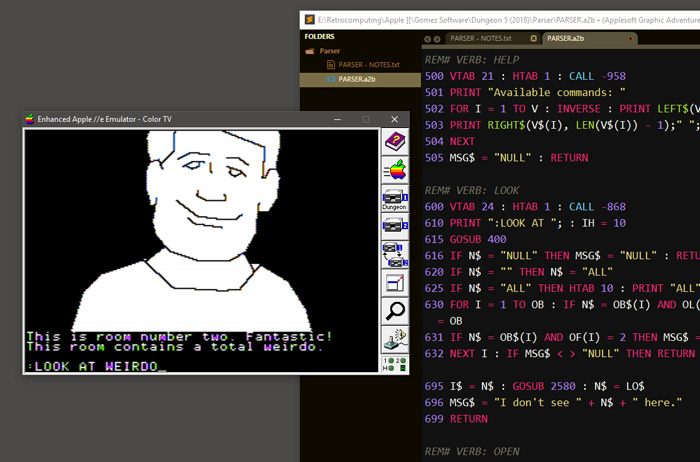
The previous post in this series explained how to get Graphics Magician images to display from Applesoft. Now, I’d like to go over the structure of the program listed in Write your Own Adventure Programs. The bulk of the program listing consists of the game data including objects, room descriptions, verbs and state flags. Most of the remaining code is comprised of a series of conditions that check how the player’s actions affect the objects in the game world.
Haunted House used a simple, two-word input parser: VERB NOUN. But I wanted this new game to simplify the number of verb choices in the same way the LucasArts adventures streamlined the interface of Sierra-style adventure games. The player will be limited to around a dozen verbs that are entered with a single keystroke.

The verb list is largely based on the options in Monkey Island. PUSH and PULL have been combined into MOVE. To move you must hit Go then enter either North, South, East, West, Up or Down. This is a little annoying, but there are only so many letters in on the keyboard and I needed that D, U and S elsewhere. Other commands require you to hit the keystroke, then type out an object NOUN and then hit Return. “Guess the verb” will no longer be an issue… welcome to 21st century “guess the noun” technology!
Each verb then get’s its own subroutine which contains the logic that triggers the various game actions (or provides a default message if nothing special happens). By assigning a number value VB to each verb, I can use the following to branch to the various subroutines: ON VB GOSUB 1000,600,800,850, ...
The game data is set in the program by assigning strings and numbers to several arrays. In Applesoft you need to declare the size of an array by dimensioning it with the DIM command. For the rooms I will set the size of the rooms array to the number of rooms RM by declaring DIM RM$(RM). Then, near the start of my program I read data into the array by using GOSUB to a loop like this:
5000 DATA "Room description 1","Room Description 2", [...]
5005 FOR I = 1 to RM : READ RM$(I) : NEXT
5010 RETURN
The DATA can be listed anywhere in the code and it’s important to make sure that there are exactly as many data strings as READ commands. Otherwise, you might get OUT OF DATA errors.
This method of declaring rooms and object will eventually make your Applesoft program very long and hard to edit. I was pretty sure that I could figure out a way to read the data in from an external text file. But more on that later.
In my previous post I wrote about the impetus behind this project. To start, I knew that my code was going to be structured around the Haunted House program in the excellent book Write your Own Adventure Programs for your Microcomputer. As I have written before, this book was crucial in my development as a programmer (I haven’t developed much beyond it). I would love to do this project in 6502 machine code and I have been trying very hard to learn 6502 assembly programming. But, although I’ve gotten a better understanding of machine code, there’s serious lack of noob-friendly practical learning exercises available out there. Sure I can draw pixels at lightning speed, but, after reading most of Assembly Lines, I still have no idea how to do a simple INPUT command or mimic an array.
So, Applesoft BASIC it is! With emulation and modern computing I have been able to develop my code on a Windows PC and then quickly run it in emulation. My workflow isn’t nearly as fancy as some other retro-programmers. I type my Applesoft in a text editor, then in AppleWin I paste the entire code listing into an emulated apple using SHIFT+INSERT. The benefit of using emulation as a development environment is that you can throttle the emulation to run hundreds of times faster (hit ScrLK) than real hardware. This makes testing small changes a breeze.
My first task was to see if I could successfully load a Graphics Magician image into a program. The program itself is a bit of a UI nightmare. Without a manual or reference card, it’s nearly impossible to know what keys do what. On top of that, the program requires that you use a joystick to move the drawing cursor on the screen. Fortunately, the manual can be found online and you can use a PC mouse as a joystick within AppleWin. I managed to crank out a couple of silly images for testing and save them to my game disk.
I then used to code provided in the manual to write a simple Applesoft program that displays the image:
1 PRINT CHR$ (4);"MAXFILES1"5 HIMEM: 32768
10 PRINT CHR$ (4);"BLOAD PICDRAWH"
20 PRINT CHR$ (4);"BLOAD ROOM1.SPC,A32768"
30 HGR
40 A = 32768:HI = INT (A / 256):LO = A - HI * 256: POKE 0,LO: POKE 1,HI50 CALL 36096
In order for this code to work, you are required to copy PICDRAWH from the Graphics Magician disk to your disk. This is the machine code rendering engine that is loaded into memory at the top of this program. The MAXFILES1 DOS command apparently frees up some memory by limiting the amount of open files. This command needs to be the first one in your code, before any string assignments, etc. I think HIMEM does something similar with allocating memory locations. I have never written an Applesoft program so large that it required memory management so the purpose of these commands alludes me somewhat. As this project grows, I may have to familiarize myself with them.
You will see CHR$(4) often in Applesoft programs. CHR$() is a function that retrieves the keyboard character in assigned to the numerical value in then parenthesis. For example, PRINT CHR$(65) prints the letter A. In this case, character number four is the equivalent of keying in CTRL+D. That instructs the computer that the next PRINTed string should be executed as a DOS command rather than PRINTed to the screen.
The Graphics Magician file is ROOM1.SPC. BLOAD ROOM1.SPC,A32768 loads the drawing code into memory location 32768. That seems like a crazy random number but it is actually $8000 in hexidecimal. HGR switches to high-resolution graphics mode and then line 40 stores the memory address of the picture into a location PICDRAWH will know to look. Finally, the CALL 36096 triggers the PICDRAWH draw routines.
There’s a lot of fancy stuff going on here, but it does the job as advertised. The Graphics Magician manual also goes deeper with more code that shows how to string multiple images into slide shows and how to overlay objects over backgrounds. More on that when I get to my object code. For now, this proof-of-concept was enough to get a simple working prototype up and running.
Having recently played the Apple ][ game Transylvania and its sequel, I was inspired to mess with the art program which those games used. The Graphics Magician was a huge hit for Penguin Software, but I never actually had a chance to use it when we had an Apple ][. I just remember it being advertised in every computer magazine I had.
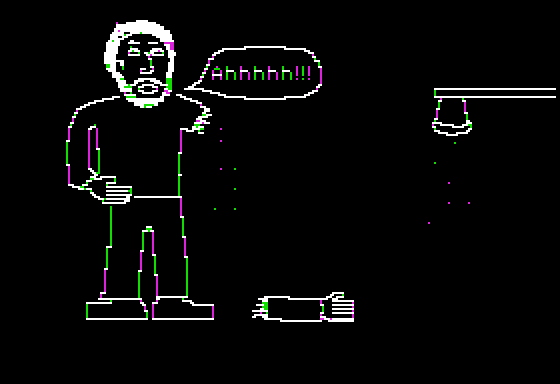
My go to art program back in the day was always Alpha Plot from Beagle Bros. It wasn’t the easiest software to use. In fact, it came bundled with a cardboard overlay for your keyboard so you had an immediate reference as to what the various keys did. Still, I managed to draw pixel by pixel and create masterpieces like this:
The Graphics Magician is something altogether different though. Instead of meticulously drawing each point on the screen, you create images programatically using a language of lines, fills and brushes. The end product is what today we would call vector art.
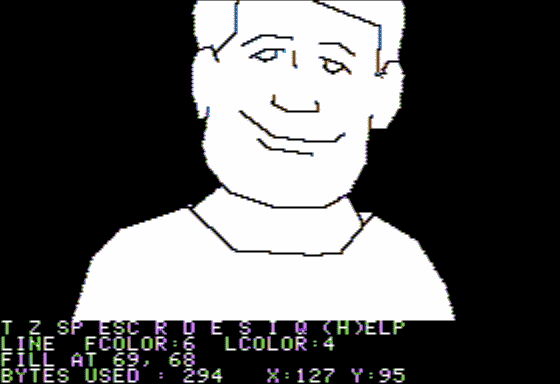
The advantage of vector art is that file sizes are small. The other advantage is that these drawing routines can be used within one’s own Apple ][ programs.
This gave me an idea for a project. Take the text-based adventure game I had made years ago, and use these routines to add graphics to the game. As I type this, I am already pretty far along in the project, but I will be going back and documenting my progress. Hopefully someone might find this informative and, if I am able to follow through, maybe I will have a releasable game in the end. It’s doing more than I ever imagined already:
Continue to Part II
This sequel to the classic Apple ][ adventure game Transylvania has you returning to the same locations as the first game once again to fight the evil Vampire. The game is twice as big and is a bit more refined. I played the updated 1985 version of the game which runs on the Comprehend game engine which is probably the best implementation of a text/graphics hybrid adventure system. You can use a few prepositions and, in this game, you can command other characters to complete puzzles.

The game spans both sides of a 5.25″ floppy and offers around fifty locations to explore. There’s not much room for text on the screen, but the writing is generally pretty good within those three lines. You can always hit return and read the last six or so responses.

Unlike other games from this era, The Crimson Crown actually wants you to have fun and possibly win the game. During the early parts you will get visits from a sage who offers clues to puzzles you have not yet encountered. If that wasn’t enough, the game originally came packaged with a coded hint book too. As a copy protection there is a set of riddles to solve at the very start of the game that require the sealed letter from the game box. For the record, I could only get one of the three answers. But once you pass that challenge the game is more forgiving.

I think I managed to get about 85% of the way through without help. That seems pretty good, but that 15% came mostly from the very last set of puzzles. Feeling stupid is not a fun way to end a gaming experience.
Transylvania is a hybrid text/graphical adventure originally for the Apple ][. This was a big hit back in the day and was ported to just about every other 8-bit machine. I loved these types of adventure games but was really, really bad at them. In hindsight, most of them were brutally unfair and prone to the bad game design cliches of the era such as instant death and guess-the-verb puzzles. Still, I remember seeing screenshots of that menacing werewolf in issues of Softalk or A+ magazine and wanting to try this game.

Playing Transylvania for the first time after so many years, I was surprised by its fairness (for the most part). I played the slightly updated 1985 version which was recently clean cracked by 4am.
The first rule in attempting to beat an adventure game is to make a detailed map. This time I went all “pro-gear” by using Trizbort to digitally map the game world:

This map proved essential in evading the werewolf during the early phases of the game. Trying to escape through an exit that doesn’t exist will result in a quick death. With a basic knowledge of movie monster lore, you will eventually start to see what you need to do to get rid of this baddie. I only needed to turn to hints twice. The first time involved a darkened room. I was so preoccupied with finding a light source… must… get… lamp… I failed to try basic exploration within the darkened environment.
I required a second hint in, what I’d consider, the game’s only unfair puzzle. In order to get a crucial object you will need to perform an action that is described in one of the game’s “feelies”. So, if you plan to try to tackle this game (the 1985 version), seek out the original manual, etc. on the Web before playing.

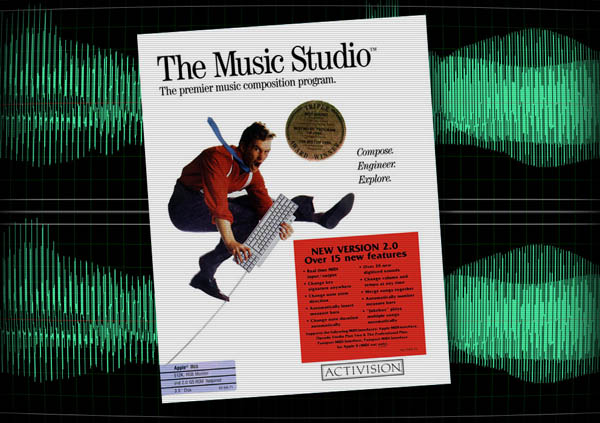
I recently took the time to sample all of the default sounds from the Apple IIgs music composition program The Music Studio for use with my new sampler. The sounds were recorded directly out of my IIgs via an Applied Engineering sound card and into the Octatrack. I then took the WAV files into my PC and cleaned up the audio a bit. The IIgs outputs a rather noisy signal.
The samples are organized into four sets: Jazz, Rock, Classical and Voices. Each set has about fifteen instruments and each instrument was sampled at six octaves of C. Jazz also contains a couple drum kits which I broke apart and sliced into eight notes each. I tried to create nice evenly sliced sample chains but they are a tad off so they require a little manual tweaking after auto-slicing them.
The Music Studio was one of the first music composition programs I ever used. Certainly, it was the best one I had used up until that time. Technically, the first would have been Will Harvey’s Music Construction Set on the Apple ][+ with a Mockingboard sound card, but I don’t think any of my compositions from that program have survived (I’ll have to dig around my old disks one of these days). Fortunately(?), my IIgs compositions have survived and have been imaged and archived. Now such classics as “Kill Your Mama” and “Robert is Coll” have been preserved for the ages. Most of what we did in The Music Studio was transcribe my brother’s heavy metal guitar tab sheet music. So there’s a lot of G’n’R and Metallica riffs.
What made the program so cool (or “coll” if your are my typo prone teen aged self) was the inclusion of drum sounds. In hindsight, really bad drum sounds but drums nonetheless. It was my first real go at creating electronic music. I had no idea how performers like Cabaret Voltaire or even Devo were able to program their keyboards to play music automatically. There was that Jan Hammer Miami Vice video where you actually got a glimpse of a computerized rig (probably a Fairlight or something else that cost more than a car) and this seemed about as close to that as I could ever get.
Unfortunately, The Music Studio had a lot of quirks that made it really difficult to use. Although it uses a standard music staff for notation, it really plays notes like a piano roll. Meaning, if you have a whole note you want to ring out under several quarter notes you have to insert a bunch of redundant looking rests above the whole note. Otherwise, it plays the entirety of that long note before playing the quarter notes that are after it. Confusing, yes. Practically speaking, what this means for the composer is they have to put a bunch of evenly spaced rests across the top of the song scroll to insure the play head keeps moving along. The other major limitation is that you can’t have two instruments play the same note at the same time. That made any sort of complex arrangement a matter of spacing instruments across the staff all while avoiding your kludge of rests.
Until I was exposed to MOD files and tracking software on my PC this is how I thought music was made on a computer. Even Q-Bob’s music was created using a similar looking MIDI composition program. FastTracker and MadTracker freed me of this notion and from there on I began to make music more in line with what I wanted to do as a teen.
The Music Studio did have a very recognizable sound though. If you ever played Dream Zone you know exactly what I mean. These samples now allow us to get some of that distinctive sound into modern music apps and hardware. So, use the link at the bottom to download the set for yourself. In the meantime, here’s the first composition I made using the samples:
We never owned a Super Nintendo so I never got around to playing the 16-bit incarnation of Metroid. Well, thanks to the Wii Virtual Console I have finally crossed this one off my list. These days I am much more familiar with the 3-D versions of the game and, even though I played it back in the day, I don’t really have too much nostalgia for the NES version. There were some really frustrating moments of platforming incompetence on display as I made my way around the planet, but I eventually got the hang of the floaty physics and stuck it through all the way to the final boss battle.
The formula is well established: explore the world searching for upgrades and the more you discover the more areas will open up to you. There are monsters all around but killing them is usually a waste of time. You are rewarded for exploration not your extermination skills. That is until you meat one of the half a dozen or so bosses. The bosses are pretty rough but, in all honesty, the hardest part of the game is jumping out of sand pits. I hated that section the game. My final score was 64%, so I guess I missed a lot. However, I am not an OCD gamer so I doubt I will be going back to try for 100% completion… especially if that means more sand pits. Gawldamned SAND PITS!
This is a classic FPS from the same people who brought us Duke Nukem 3D. In this outing, the politically incorrect humor is based around the protagonist’s ridiculous Asian accent and culturally insensitive one-liners. It can be quite cringe-worthy at times, but inevitably it’s harmless. Especially when compared to the over-the-top gore and violence. Ah, the 90’s. If you can find your safe space, what remains is an exciting game that sticks to the usual run and gun formula of this era. There are a lot of crazy weapons, tough enemies and unique level designs (for the time). Modern gamers may scoff at the lack of narrative and primitive presentation, but I thought it was fast, offensive, silly fun.
You can download and play Teenagent for free from GOG.com, and, because of my obsessive-compulsive nature when it comes to completing games I own, I felt obliged to give it a whirl. It took about 45 minutes of frustration for me to realize that this point-and-click adventure really wasn’t worth the logic-defying effort. This game commits all the puzzle design sins of 90’s adventure games. It’s the type of game design that pretty much killed the genre. The puzzles make absolutely no sense and I can’t believe anyone got very far with this without a walk-through. On the plus side the dialogue and humor isn’t bad for a game created by a bunch of non-English speakers. Also, even though the art design is crap, there is a ton of clever animation and sight gags to ogle, just don’t waste brain cells trying to figure the puzzles out.
The past few weeks I have been diving into the world of assembly language programming on the Apple ][ computer. My interest in the topic stems from the recent book release of a compilation of articles on assembly language programming called Assembly Lines: The Complete Book. The articles were written by Roger Wagner and originally published in Softalk magazine back in the early eighties. This edition was edited by Chris Torrence and is available for download and purchase from a number of locations.
Now, I am pretty familiar with Applesoft Basic programming, but I was always in awe of commercially released software on the Apple ][ that ran so fast, had fancy hi-res graphics and used sounds other than the system beep. What was the secret of these mythical programs that required you to type “BRUN” in order to get them to load? The secret was machine language.
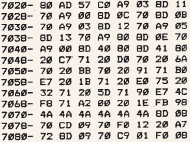
This image shows you just how intuitive and user-friendly machine code is. It’s almost like it was written by the Terminator himself (just after he finished cutting out his eyeball with an Xacto knife). Despite the seeming impenetrability of machine code, in the past I made a few attempts to learn it. I would get a few chapters into Apple Machine Language and then the endless diversions into binary math would addle my art-school trained brain. It never really clicked for me.
What I didn’t know is that there was this thing called “assembly language” which is a human-readable method of creating machine code. It still is pretty brutal compared with Basic or JavaScript, but for the first time I think I am starting to understand machine language and, more generally, just how the Apple ][ works. Cryptic hex numbers and even the aforementioned binary math are still a part of assembly, but it uses three letter abbreviations for various functions and allows for comments and labels. The assembler will translate the letters into their numeric machine language equivalents and assemble the source code into a BRUN-able program. Woo-hoo!
The first hundred pages or so of Assembly Lines has been very informative and I have dutifully typed in many of the example programs. At one point I had a pretty nice “ah ha!” moment when I was messing around with creating tones. I created a small program that generated an annoying high pitch noise and decided I would further enhance the interactivity by outputting a stream of numbers to the screen showing the paddle positions. Before I got very far beyond just reading the paddles I noticed that I could use the joystick to change the pitch of the sound. I had no idea why this would change the pitch so I decided to look at the machine code in the built-in paddle routine. To my surprise, I was able to see that it got the paddle value by using a count down loop. The longer the count down, the lower the tone. I couldn’t really say why this was the case, but at least I was starting to be able to decipher that wall of hex values.
Now, back in the late eighties I got my hands on an issue of Compute! magazine. Kids nowadays with their fancy iWatches and download services may not believe this, but in the olden days there would be program listings in computer magazines. Readers could carefully type in the program and, “Voila!”, you had new software to use. This issue contained a listing for a game called Space Dodger, with a separate listing for just about every machine available at the time. Most were written in basic, but the one for Apple ][ was pure machine code. I had no idea what any of it meant, but I dutifully typed every line into my Apple’s monitor. The result was a pretty slick little arcade game:
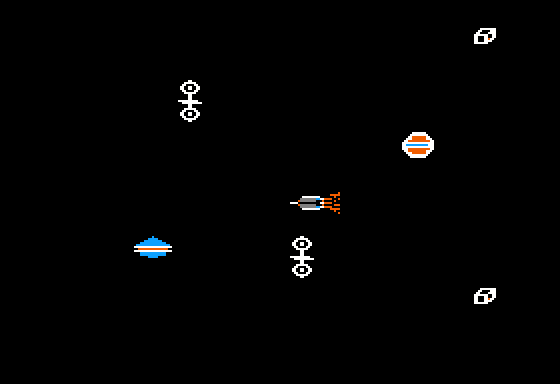
You moved your ship to avoid the space junk which flew by from right to left at varying speeds. However, playing the game in emulation, I noticed a slight problem: the ship movement was mapped to the wrong joystick axis.
And now we get to my second assembly language “Ah ha!” moment. I now know the memory address where the paddles are read. I just needed to search the code listing for 00 1E FB and it would just be a matter of changing the 00 to 01. I found the values at $706B, made my edit and, magically, the joystick now worked correctly!
I still have no clue as to what the other 99% of the code does, but this was a breakthrough. Assembly language… I think I can do this. In the meantime, download Space Dodger and play it in your favorite emulator.